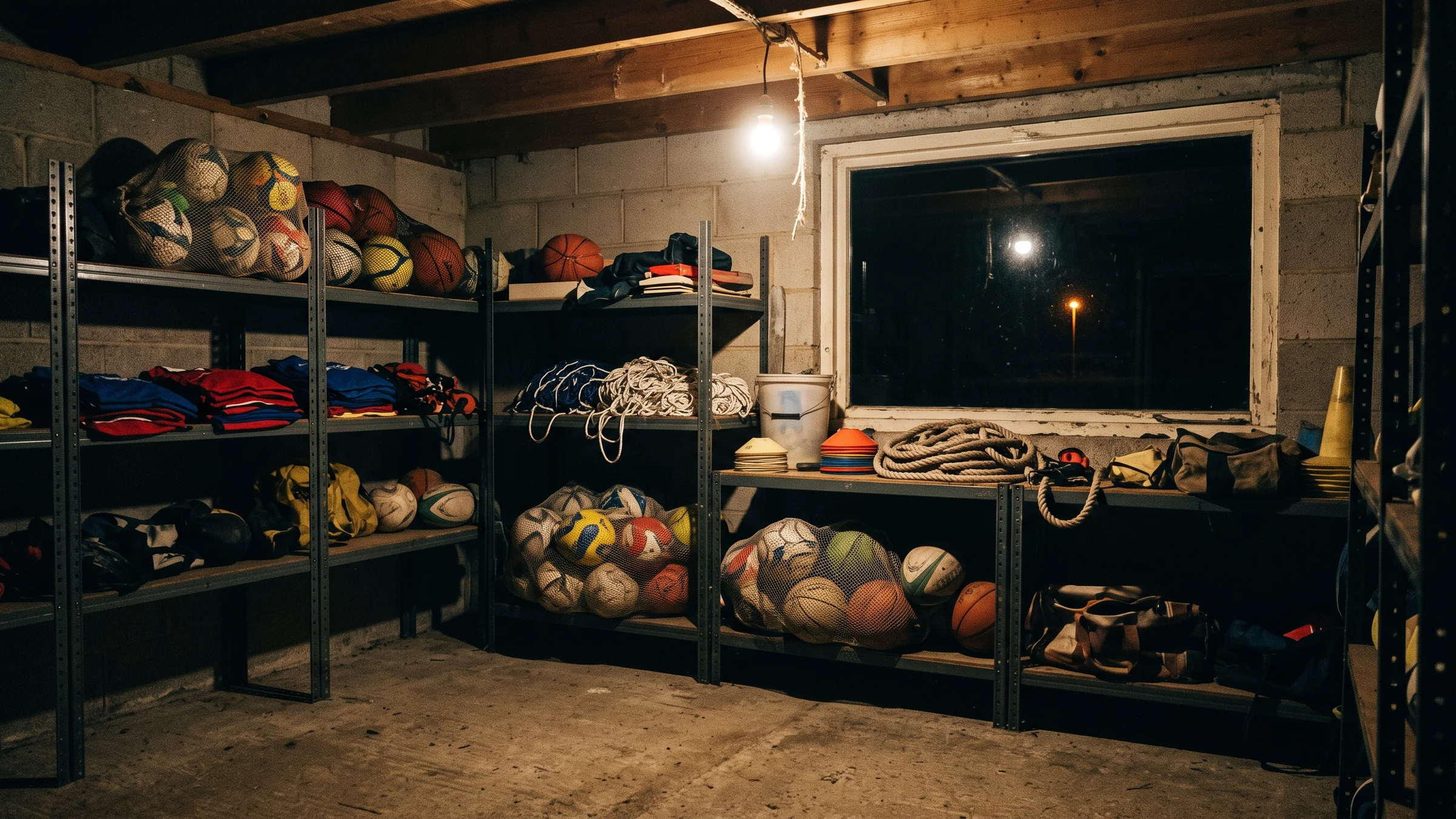
A club store room at night. Equipment lines the shelves and faint light comes in from a window at the back.

EQUIPMENT & DOCUMENTS

What goes out,
and what you hand out, comes back.

What is in the store room, and the paperwork a club hands out. Counting it and collecting it have always been left to somebody’s memory. NEWDIH keeps the two in the same place.

The equipment ledger is free. Documents and e-consent is a module at 1,000 yen a month.

THE PROBLEM

Only the person with the key
knows what is inside.

Usually one person can say how many balls there are. Someone takes them home, the next weekend arrives, and you find out something is missing on the morning of the match. Paperwork is the same: you cannot say who has not returned a consent form until you count the pile in someone’s hands. Both are the same question — where did our things go — yet one lives in a store room and the other in a stack of paper. NEWDIH keeps the two in one place.

A stack of training cones piled up in the dark.

01 — KEEP

Hold what the club owns as a number.

How many cones, how many bibs are left. Enter a name, a count and a place once, and what you have on hand is always there. The count drops by whatever you lend out and comes back when it is returned.

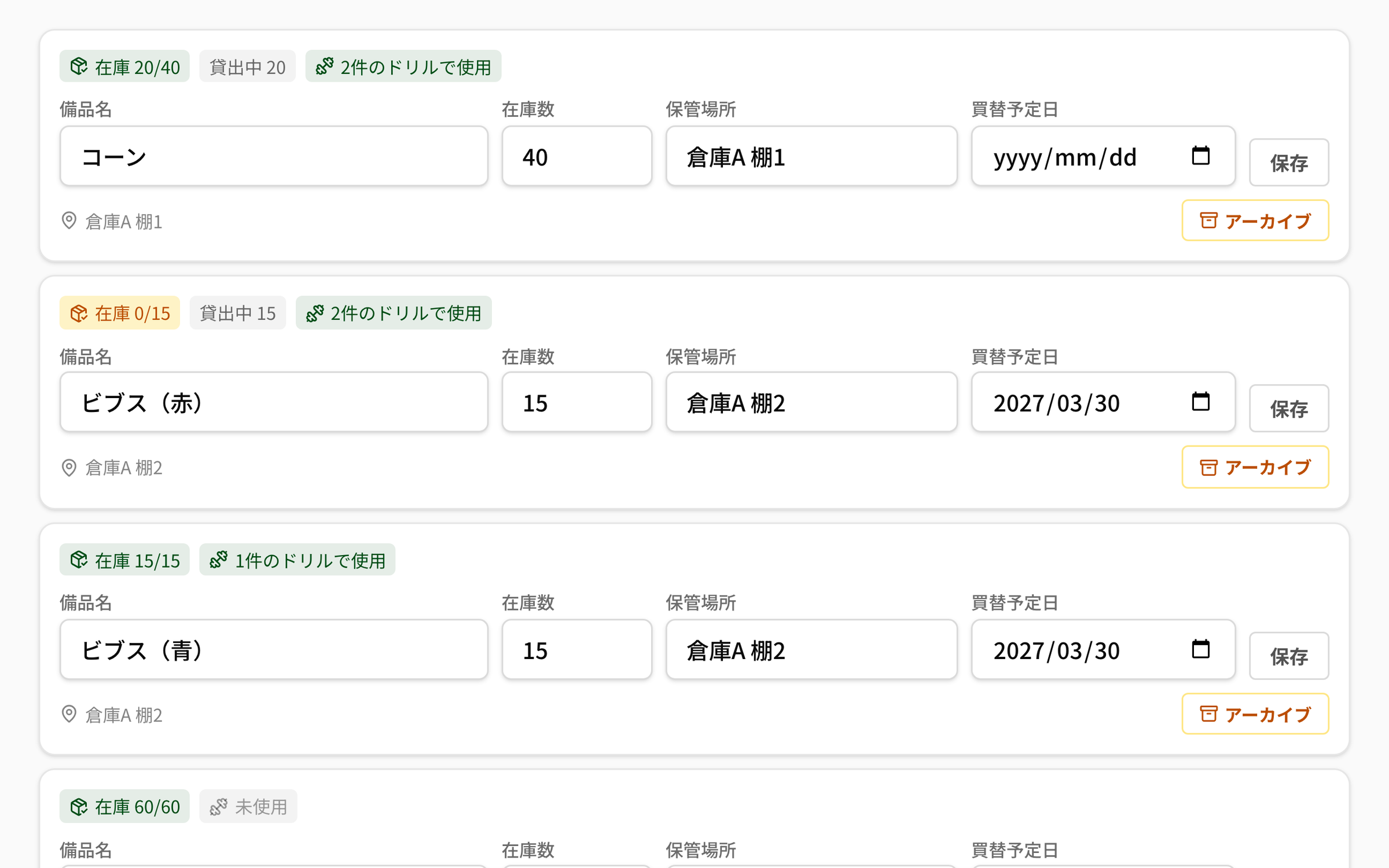
The equipment list in NEWDIH APP. The first row, cones, carries the badges “Stock 20/40”, “On loan 20” and “Used in 2 drills”, and below them are fields for the item name, the count, the place (Store A, shelf 1) and the replacement date, with a save button. The next row, red bibs, shows “Stock 0/15” in amber with 15 out on loan.
KEEPWhatever is out on loan comes off the stock. All of it out means zero, and the colour changes.

STOCKWhat you can use now is shown as the total minus what is out on loan. No subtraction by hand

PLACEThe place holds up to 120 characters — down to the shelf number

RENEWYou can set a replacement date

NAMEAn item name holds up to 40 characters. The same name cannot be registered twice, so duplicates do not pile up

COUNTThe count runs from 0 to 100,000

DRILLAn item used by a training drill shows how many drills it is used in

Badges in the listStock 20/40On loan 20Used in 2 drills

Seen from behind, someone carrying a basket of balls out towards a floodlit pitch at night.

02 — LEND

Who carried it out stays on the record.

Balls and bibs go home with someone every session. Write down who borrowed them, how many and when they are due, and you can see whose hands anything is still in. Whatever is past its date makes itself visible without being chased.

“Equipment on loan” in NEWDIH APP. A first-aid kit ×1 is out with the away-trip lead, due 2026-09-02, with the note “taken for Sunday’s away trip”. Only the row for red bibs ×15 shows “Due 2026-08-30 (overdue)” on a red band. Each row has a return button at its right edge, and “Archived equipment” follows below.
LENDOnly what is overdue turns red. Return it and the stock comes back, and the loan stays on the record.

WHOA borrower holds up to 80 characters — a person or a team

DUEThe return date is optional. Past it, a red “(overdue)” appears

QTYOne loan runs from 1 to 100,000. A loan larger than what is left in stock cannot be recorded

NOTEA note holds up to 500 characters — “taken for Sunday’s away trip”, for instance

BACKPress “return” and it goes back into stock. The loan itself is not erased

KEEPEquipment you no longer use can be archived out of the list. Nothing is deleted, so drills you built in the past keep their reference. You can bring it back later

What a loan row showsBorrowerQtyDue date(overdue)

A stack of paper and a clipboard on a desk, with a single pen.

03 — HAND

Rules and consent forms go out from one place.

The rules you hand out at sign-up, consent for photographs, what to do in the heat. All of it used to be printed, handed round, collected and counted for missing names. Now it lives in the app, and you choose who each one goes to.

The document list in NEWDIH APP, with columns for title, audience, version, consent and last updated. “Heat illness and first aid” is addressed to players and shows 39/39 in green. “Consent for photographs and video” is addressed to guardians at 12/18, and “Club rules (2026)” is on version 2 at 31/39. The top row, “Using the car park (2025)”, is marked as archived.
HANDOnly a fully signed row turns green. A revised document carries a higher version number.

WHOYou choose the audience from three, and it can differ per document

TITLEA title holds up to 200 characters

BODYThe body holds up to 50,000 characters — a whole set of club rules fits

EDITWhen you change the text, you choose whether to raise the version. Leave it for a typo, raise it when the substance changes

HIDEA document you stop handing out is archived. Nothing is deleted, so the consents given at the time stay

OPENThe list shows how many have agreed so far, one line per document

Who it goes to (exactly as the app shows it)EveryoneGuardiansPlayers

A close-up of names printed on paper, slightly out of focus.

04 — TRACE

Who is left shows up by name.

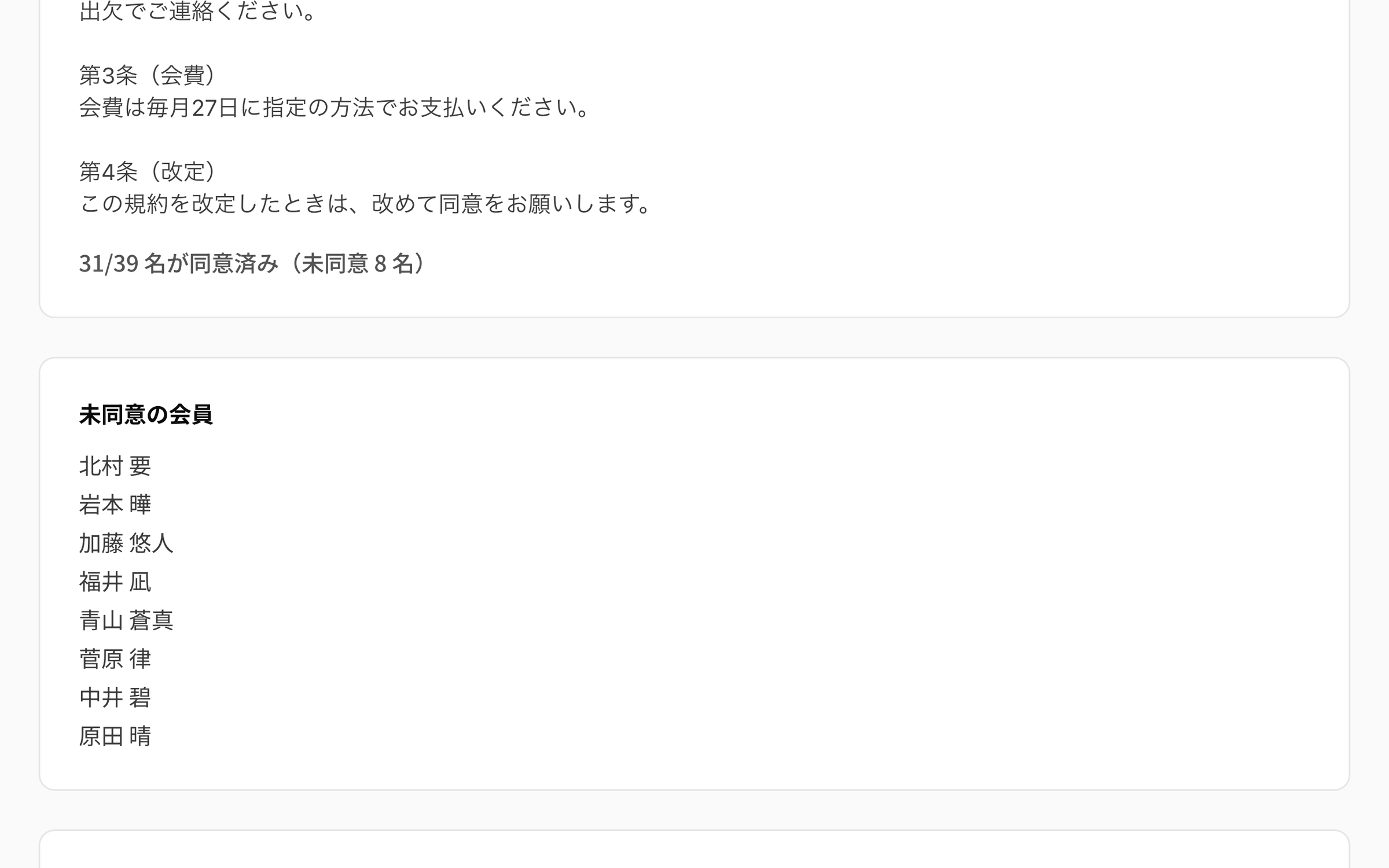
Not “how many more?” but “who?”. Open a document and you see how many have agreed and the names of those who have not. You know exactly who to speak to, so you never have to chase everyone at once.

The document detail in NEWDIH APP. The club rules are shown, and below them the line “31 of 39 have consented (8 pending)”. Further down, “Members pending consent” lists the eight people who have not agreed yet.
TRACEUnder the number, the names. You know who to speak to.

COUNTHow many agreed, how many it applies to and how many are left appear on one line

NAMEThose still pending are listed by their name on the roster

BASEThe number it applies to is drawn from the club’s members. Fix the roster and it follows

AGAINRaise the version and everyone goes back to pending on that document

WHOAdding, revising and reading consent status is done by the club owner

MEMBERThe consent itself is pressed by the member

What the detail showsVersionHow many have consentedHow many are pendingMembers pending consent

At night, only the glow of a smartphone screen held in a hand is visible.

05 — SIGN

A consent, once pressed, stacks up and stays.

A member reads the text on their own screen and presses “consent”. What is recorded cannot be rewritten or deleted, and every revision adds another line. That this is not a signature in itself is written plainly on the screen before they press.

“My consents” in NEWDIH APP. At the top is a note saying that pressing consent records the time and an identifier kept for the record (city level only, with no raw IP address stored), and that this is not an advanced electronic signature under the Electronic Signature Act. Below it, “Away trips and camps: supervision and insurance” carries an amber pending badge and a consent button, and the next one, “Heat illness and first aid”, carries a green consented badge.
SIGNBefore you press, it shows what will be recorded. After you press, it stays, version by version.

ADDConsent records are append-only. They cannot be rewritten or removed afterwards

VEREven the same person on the same document leaves one line per version. The whole history stays

IPWhat is kept is the time and an identifier blurred to city level. The raw IP address is not stored

LAWThat this is not an advanced electronic signature under the Electronic Signature Act is written on the screen that asks for consent

SEEA member sees only the documents addressed to them

BACKAn archived document cannot be consented to

States on the member’s screenConsentedPending

Three steps, starting today.

STEP 01

Write down what you own

Enter the item name, the count and where it is kept. All of this is free.

STEP 02

Record it when you lend it

Enter who borrowed it, how many and when it is due. Anything past its date makes itself visible.

STEP 03

Hand out the documents

Put your rules and consent forms in, then choose who they go to. Whoever is left shows up by name.

Frequently Asked Questions

Q01Do equipment and documents both cost money?

The equipment ledger is free, with no cap on how many items you register. Documents and e-consent is a module at 1,000 yen a month; until you subscribe, the documents screen does not open.

Q02If I delete an item, what happens to the training menus that used it?

Archive it instead of deleting it. Archiving only takes it out of the list; drills you built in the past keep their reference. You can bring it back later with “restore”. Item names cannot repeat within a club, so you also cannot recreate an archived item under the same name.

Q03Do guardians consent from their own account?

No. Guardians do not hold accounts of their own. A minor player’s own account is the one tied to their guardian’s contact details, so a document addressed to “guardians” arrives at that minor player’s account, and the consent pressed there counts as the guardian’s. When the audience is “players” or “everyone”, it applies to every member of the club, adult or minor.

Q04If I rewrite the rules, does everyone have to consent again?

That is your choice. When you save a document you decide whether to tick “ask for consent again with this revision (raise the version)”. Tick it and the version number goes up by one and everyone returns to “pending” on that document. If you only fixed a typo, save without ticking and the consents stand. Consents given to the earlier version are not erased either.

Q05Does this consent carry the same weight as signing a contract?

It does not. This records the moment someone pressed “consent”, which is a confirmation of intent, not the advanced electronic signature described in the Electronic Signature Act — the kind that proves identity by cryptography. That is written at the top of the screen where a member presses consent. What is kept is the time of the consent and an identifier blurred to city level; the raw IP address and location are not stored.

Q06Can I hand equipment or documents over to a coach?

Not for now. Both are handled by the club owner alone. What can be delegated to a coach is venue booking, the alumni roster, away trips and training camps — four things, and equipment and documents are not among them. Pressing one’s own consent is the one part everyone but the owner can do.

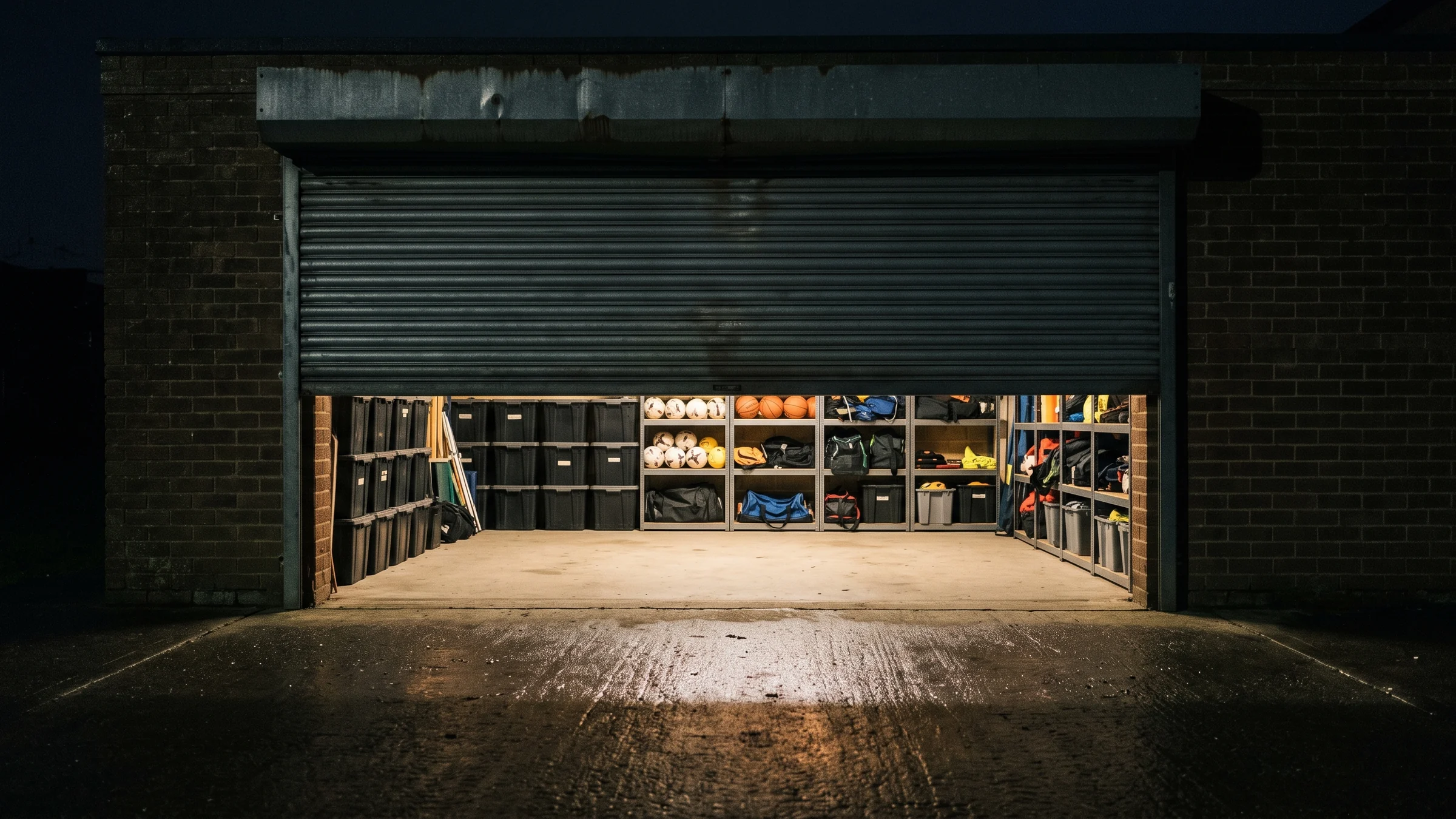
A tidy club store room with the roller shutter half down.

Take where your things went
out of somebody’s memory.

You can start by writing down a single item. The equipment ledger is free.