To the whole club or to a single team. Every announcement you send stays in each inbox, one by one, and the read count comes back as a number. Replies gather in a single thread.
Announcements & broadcasts is a free module. There is no extra charge.
A message posted in a group chat gets pushed up by the next topic and disappears.
The people who read it and the people who didn’t stay equally silent.
So you send the same thing again the night before.
And on the day, someone still doesn’t turn up at the meeting point.
Announcements & broadcasts in NEWDIH APP keeps every message you send in each recipient’s inbox, one by one, and tells you how many people have read it. Replies gather in one thread per announcement, and team news can be handed to a player rep. It is part of the club features, free of charge.
The audience is either “Whole club” or a team. The type is either “Notice” or “Schedule update”. After that you just write a title and a body and send. Because you choose the audience per announcement, you never have to push an age-group matter to everyone.

Creating an announcement (actual screen)
Every announcement stays in the recipient’s inbox as its own item. Unread ones carry a red dot and can be filtered with the “Unread” tab. Looking something up later never means digging through other conversations.

Inbox (actual screen)
You can reply to an announcement without leaving the screen. Sender and recipient look at the same single thread, so the conversation never splits in two. “My son will be late” stays right underneath the message it answers.

Threaded replies (actual screen)
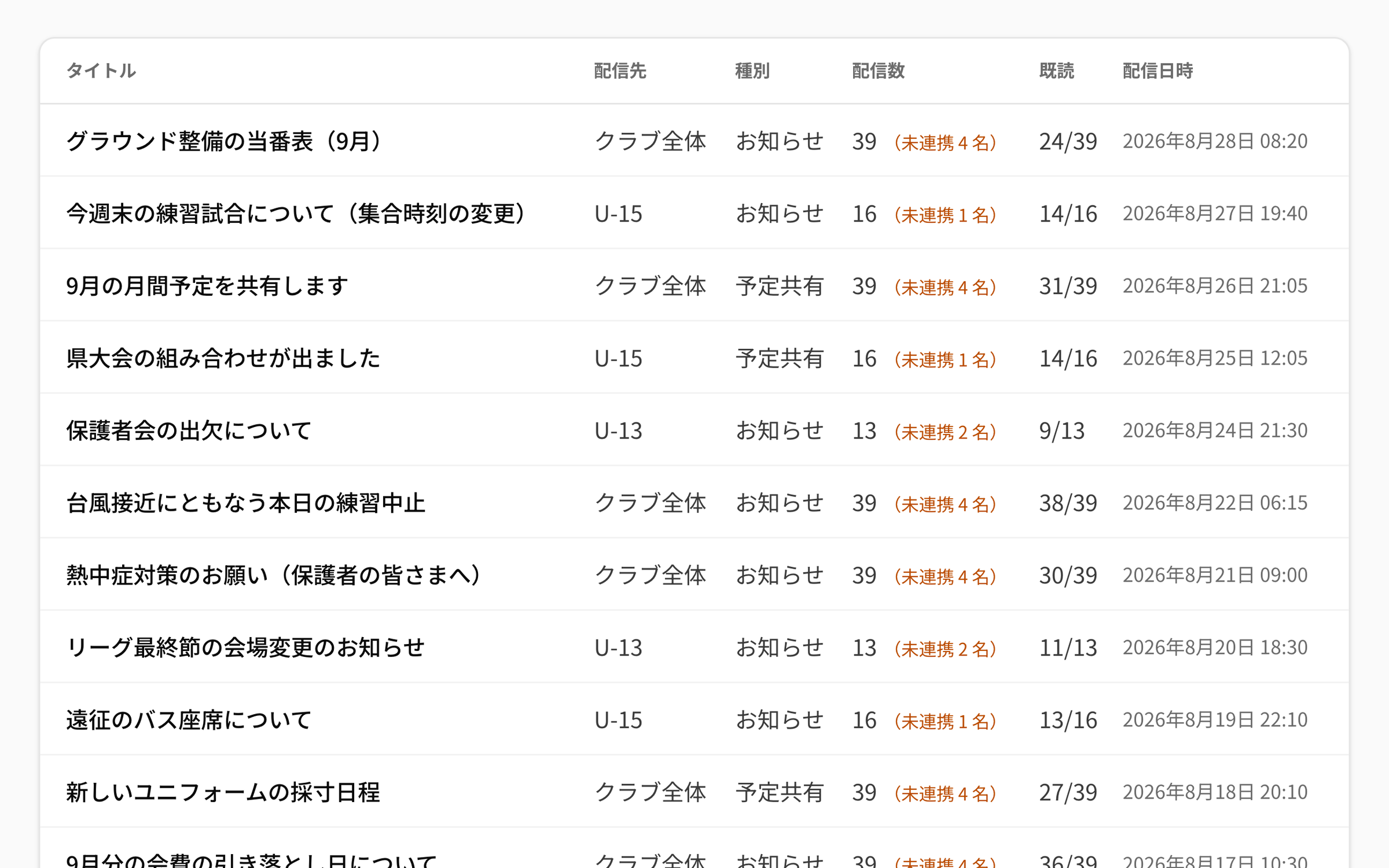
Broadcasts keeps a list of everything you have sent. Title, audience, type, recipients, read count and sent time sit on one row, so you never have to work out when and where a message went.

The Broadcasts list (actual screen)
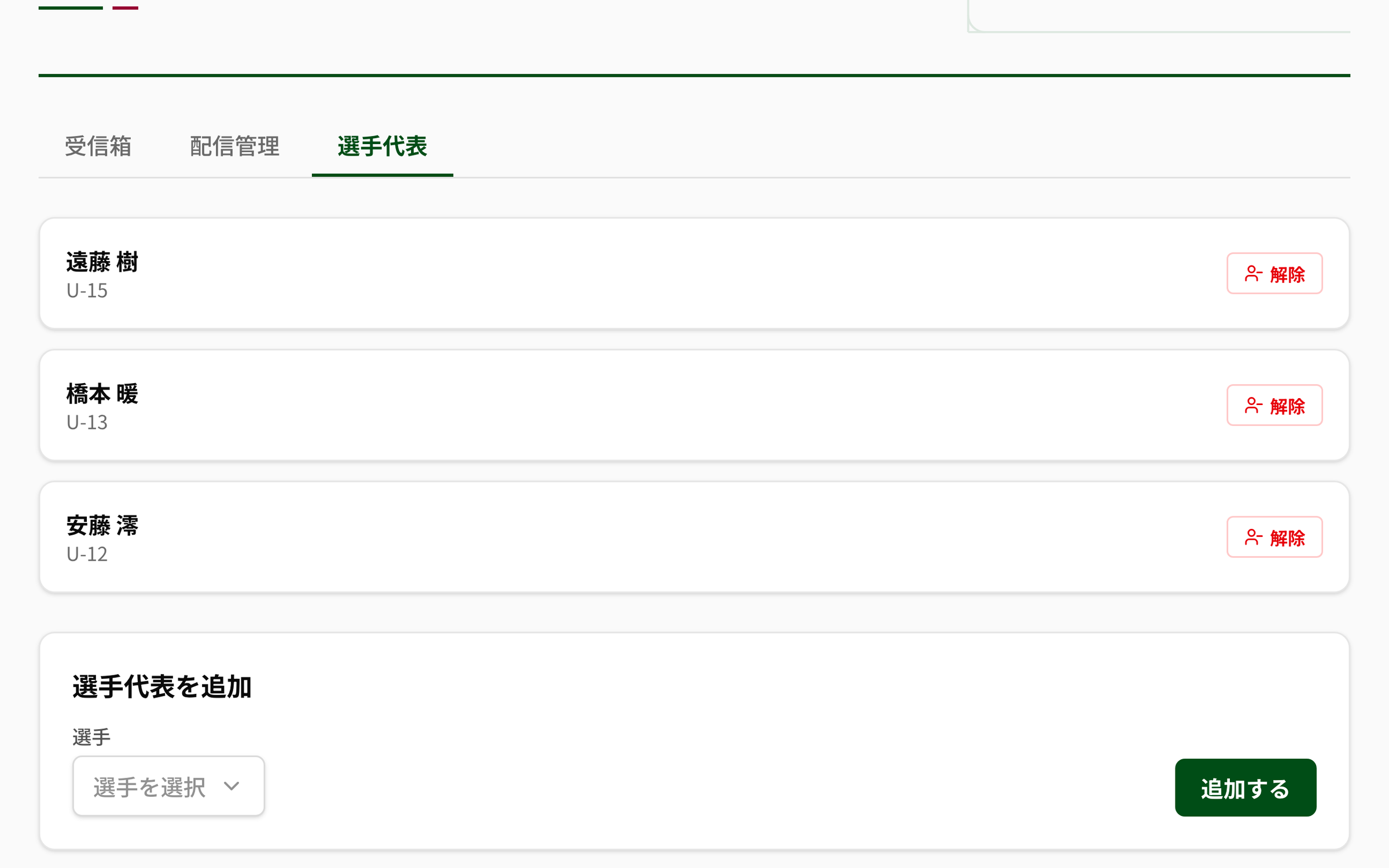
Assign a player rep per team and that player can send announcements to their own team only. In-house news like “tomorrow’s session moves to the gym” goes round without passing through a coach.

Managing player reps (actual screen)
Announcements & broadcasts is a free module. Create the club, invite the players, and you can send your first message the same day.
Create the club, add players to the roster and invite them to the app. Announcements start reaching people as soon as they link.
Use “Create announcement”, pick the audience and the type, and send. You see both the reach and the gap before you do.
Read in the inbox, watch the read counts in Broadcasts. Assign a player rep when you want a team to handle its own news.
No. It is a free module you can add from the club features, with no monthly fee. The pricing page shows the full picture, including the paid modules.
Each announcement stays in the inbox as its own item and is not pushed away by the next topic. Who has read it comes back as a number like “31/39”. Replies gather in one thread per announcement, so you always know which message an answer belongs to.
With “Whole club” it goes to every player registered in the club; with a team, to that team’s players. The club’s coaches receive it whatever the audience. Only people who have linked the app can receive it, and the number who have not is shown before you send.
Only a player rep assigned to a team, and only to that team. Sending to the whole club is for coaches. A rep’s history is limited to what they sent themselves.
Through in-app alerts and push notifications on the device. You can set them up from the banner in the inbox. On iPhone and iPad, add the app to the home screen and reopen it from there to receive them (iOS 16.4 or later).
Each person can tune it. With “Do not send push notifications during these hours”, no push is sent to their phone in that window — the announcement still arrives in the inbox and the bell, so it can be read later. The unread badge in the side menu can be switched off separately. And because the audience is either the whole club or a single team, news for one age group never goes to everyone.
There is a “Schedule update” type. Announcements sent that way carry a note telling readers to check the club calendar for the details. The calendar remains the source of truth for the dates themselves.
Signing up is free. All you need is an email address to start today.