Your club's front door, open online.
NEWDIH issues a public page with an application form the moment you open one trial session. You just paste that link on your club website or social profile. Applicants get an automatic confirmation email and the club gets a notification. The door to your club stays open around the clock.
Signing up is free. All you need is an email address.
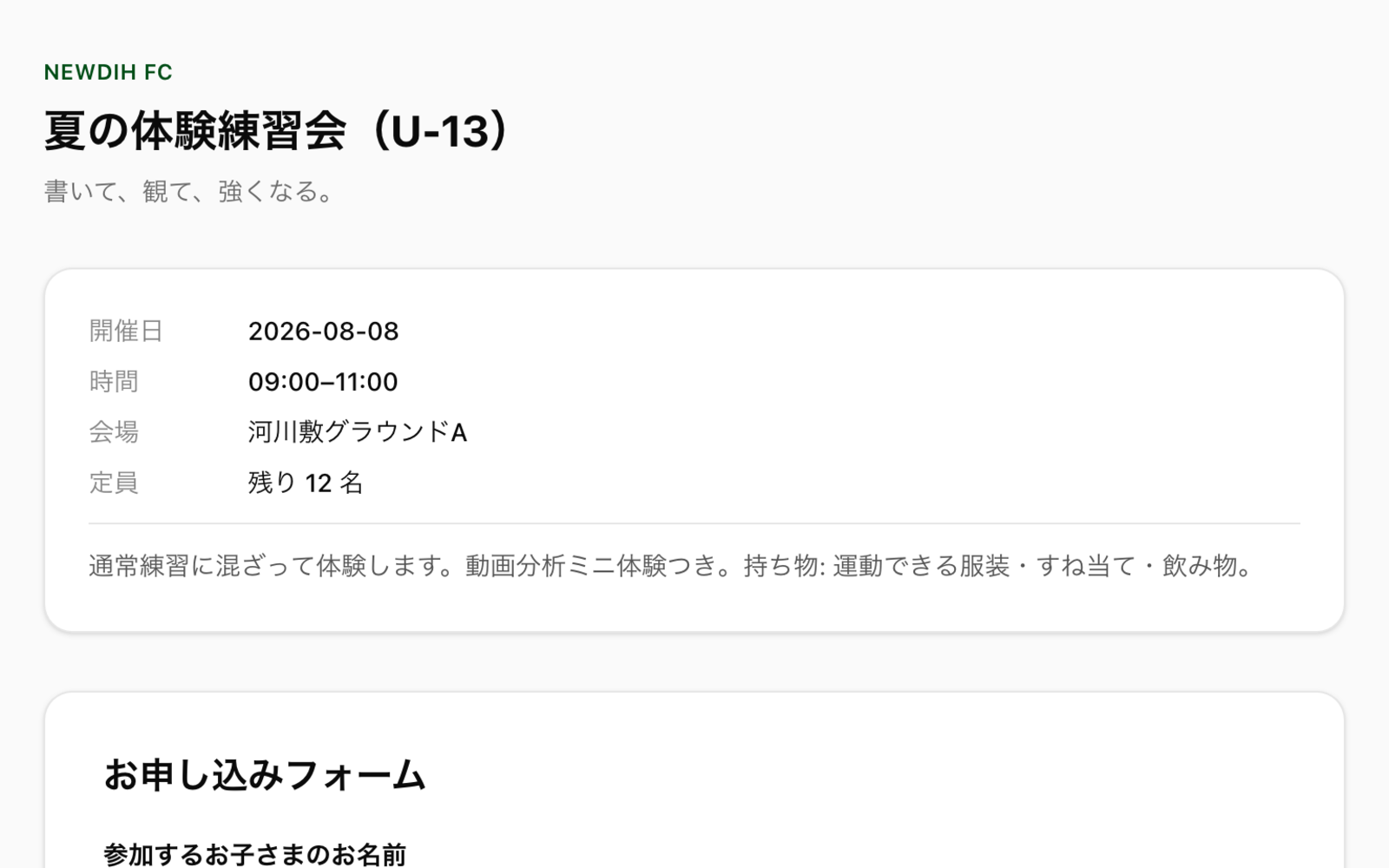
Open one trial session.
Fill in the date, venue, capacity and description, publish, and that session gets its own application page. You paste the link on your club website or social profile. NEWDIH does not add a second club profile page for you to keep updating.
The family who applied
gets an answer too.
Guardians apply from their phone after work, with no account to create. After applying they can check where their application stands themselves, so nobody has to phone the club to chase it.
Work through applications in one list.
Who applied and how far it got. Without digging through paper notes or DM history, each session splits its applications into the ones still waiting for a reply and the ones already finished.
The strongest recruitment,
is word of mouth from the families already there.
New members usually turn out to be "a teammate's friend." NEWDIH's application form has a referral code field, so a record is kept of whose referral brought them in.
From here to an open door, today.
Frequently Asked Questions
No. The application form is a public page in the browser, so a guardian just opens the link and fills in a name and contact details. Afterwards they can follow the status from the link in their email, still without an account.
Keep using it. NEWDIH does not host a club profile page, because two places to update means one of them always goes stale. NEWDIH only takes on the application intake, so paste the session link on the site and social accounts you already have.
Each session has its own capacity and the page shows how many spots are left. When it fills up the session goes to Full and no more applications are taken. Applications that ended as not accepted, withdrawn, expired or no-show do not hold a spot, so those spots open up again.
After 7 days without action the club gets a reminder. An application still untouched at 14 days is closed automatically, and the applicant is told that no answer from the club could be confirmed. It exists so that nobody is left hanging.
Yes. They withdraw it themselves from the status page for their application. The freed spot passes to the next person, so the club does not recount anything.
No. Signing up is free and Trial Sessions & Player Recruitment is added from “Add club features” and runs within the free allowance of club features. Club features are free up to 10; from the 11th it is a flat ¥10,000/month, however many you add. The full picture is on the pricing page.
Your next member
will come from this page.
Signing up is free. Start by opening a single trial session.