No dedicated camera. No specialist analyst. No expensive subscription. Upload match and training footage from any smartphone, and your team can start tagging, clipping, drawing tactics and building a match report that same day.
Free to sign up. All you need is an email address.
ANALYSIS
Video analysis used to mean dedicated cameras, specialist analysts, and expensive annual contracts. It was built for the pros. Grassroots football never got a look-in.
NEWDIH changes that assumption. All you need is the smartphone already in your pocket.
From upload to debrief — every tool your team needs for analysis, in a single workspace.
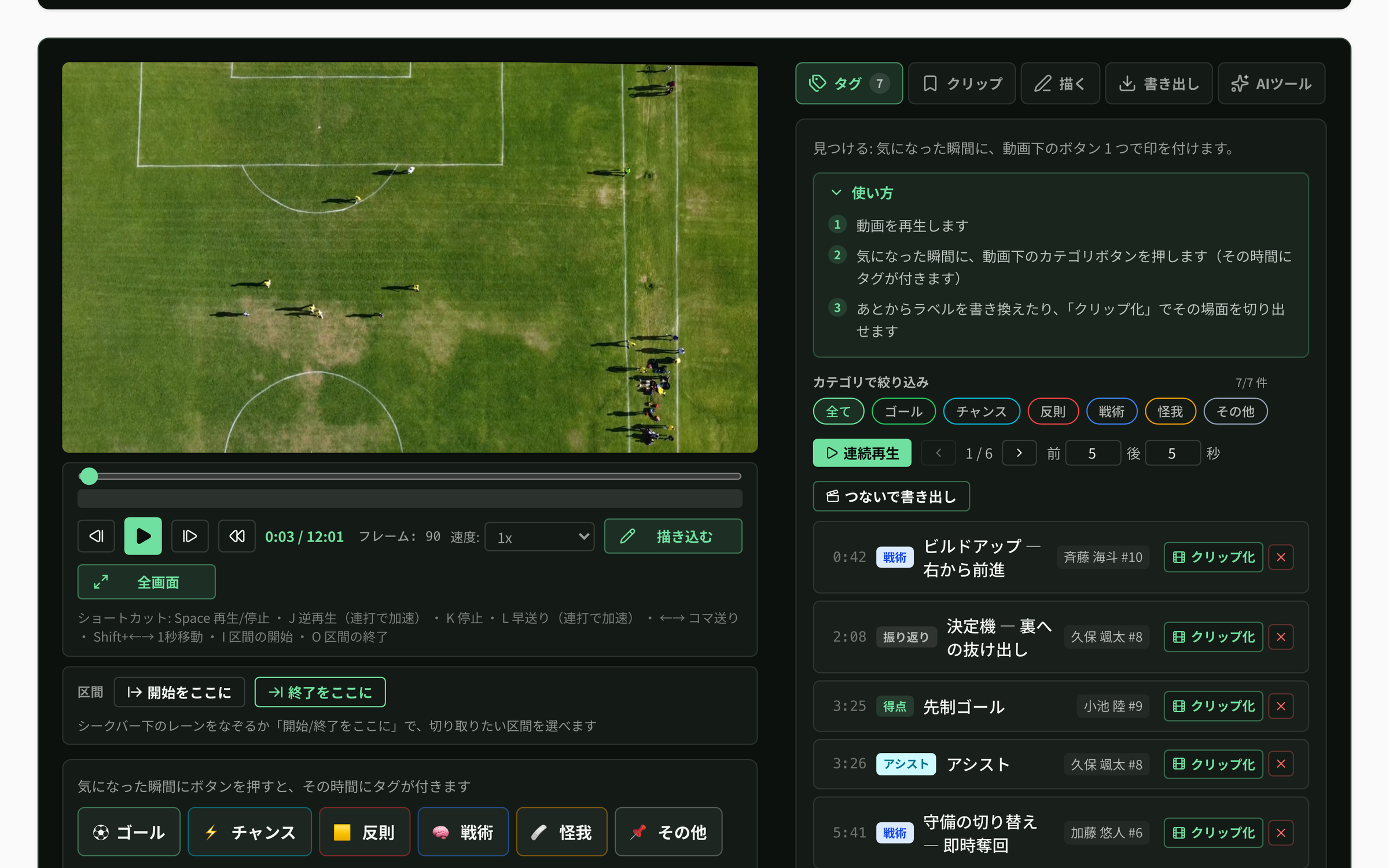
Upload match or training footage from your phone or cloud drive and start analysing immediately. Loop sections and scrub frame by frame to revisit every key moment.
Shots, build-up play, transitions — tag the moments that matter and keep them organised. Cut highlights into clips and share them with the whole squad.
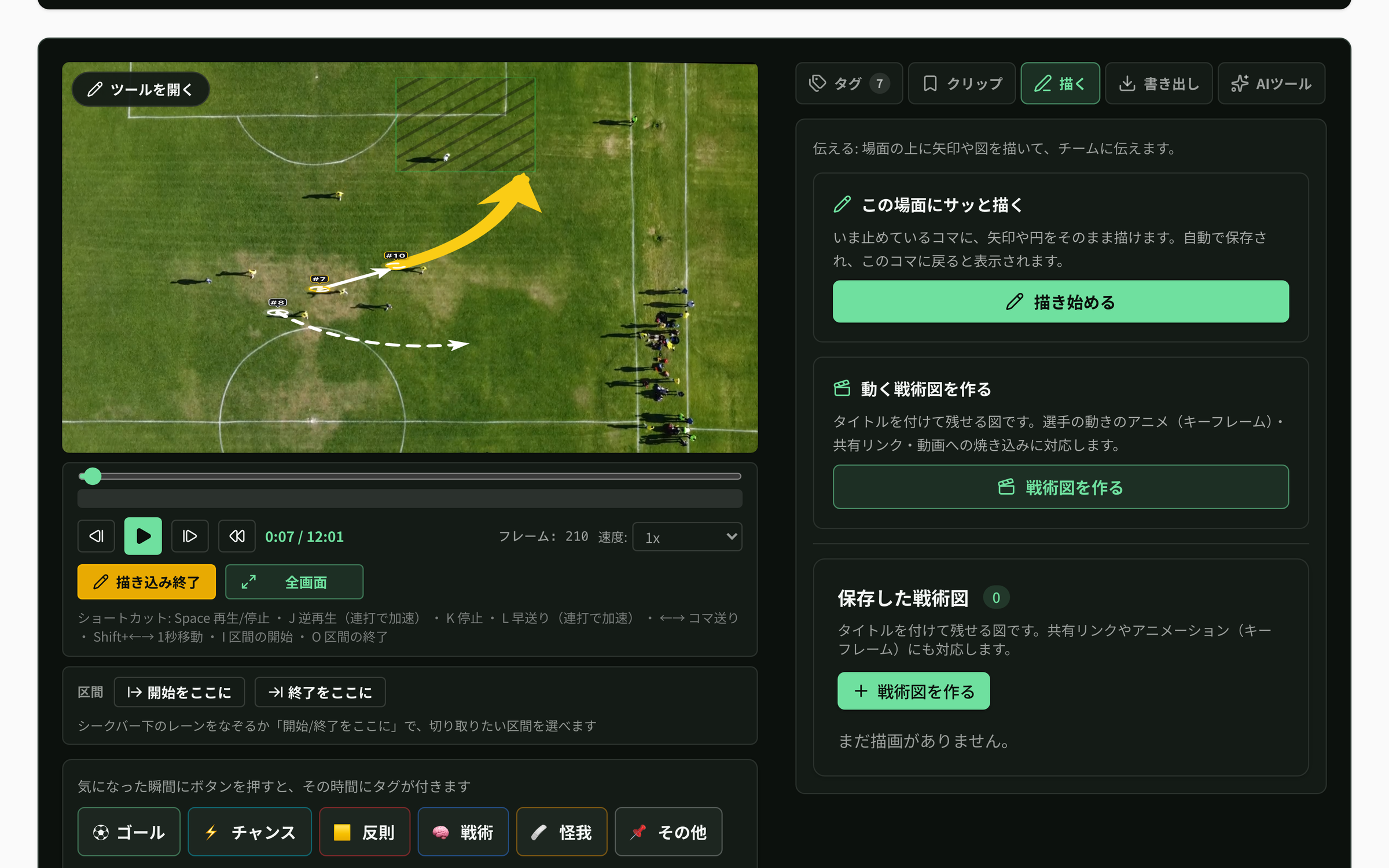
Draw arrows and markers directly over the footage to visualise movement intent. "Run here, then here" lands faster than words alone.
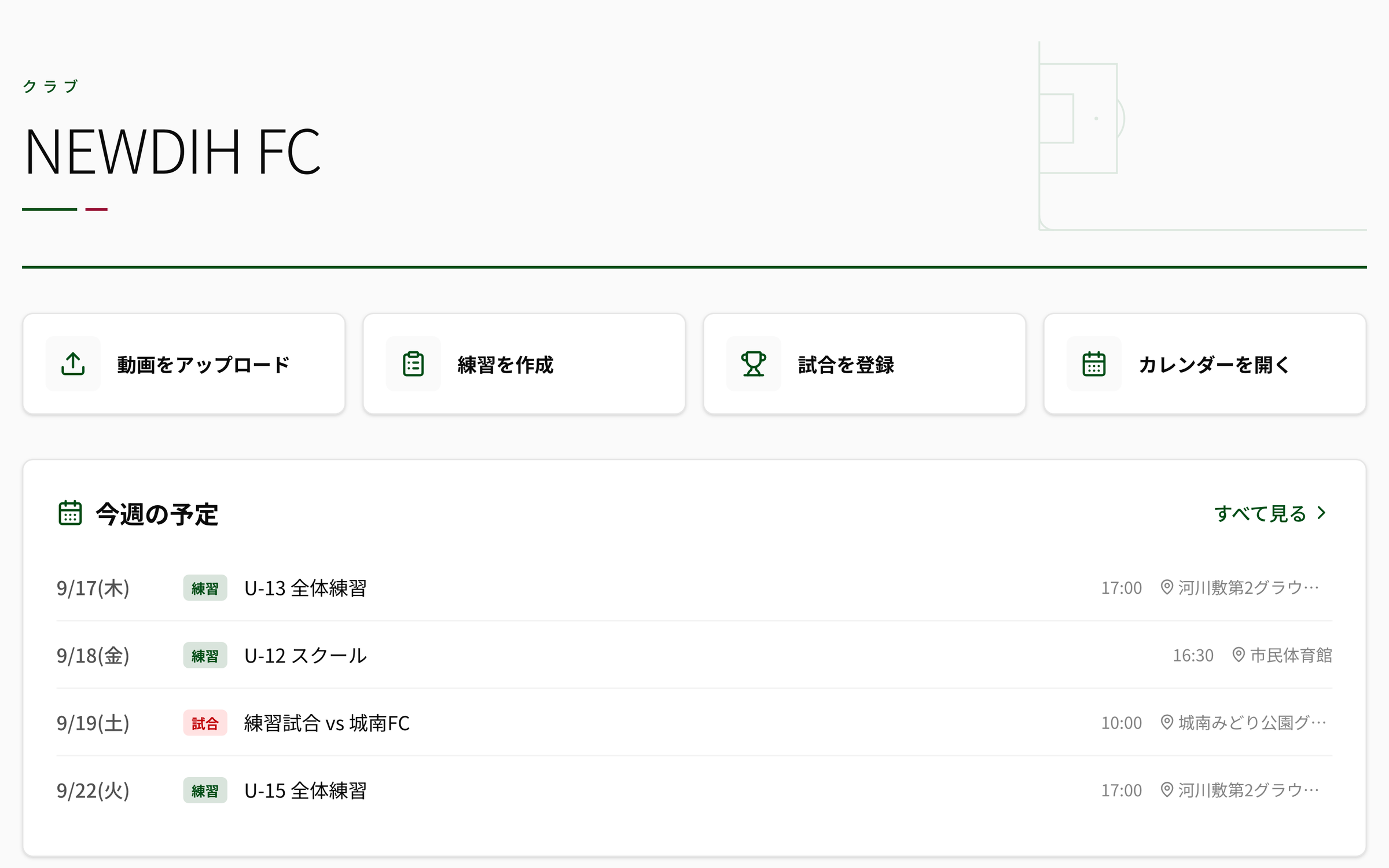
Schedules, calendars, training drills — analysis and club operations connected in the same place. Multi-language support for any team, anywhere.
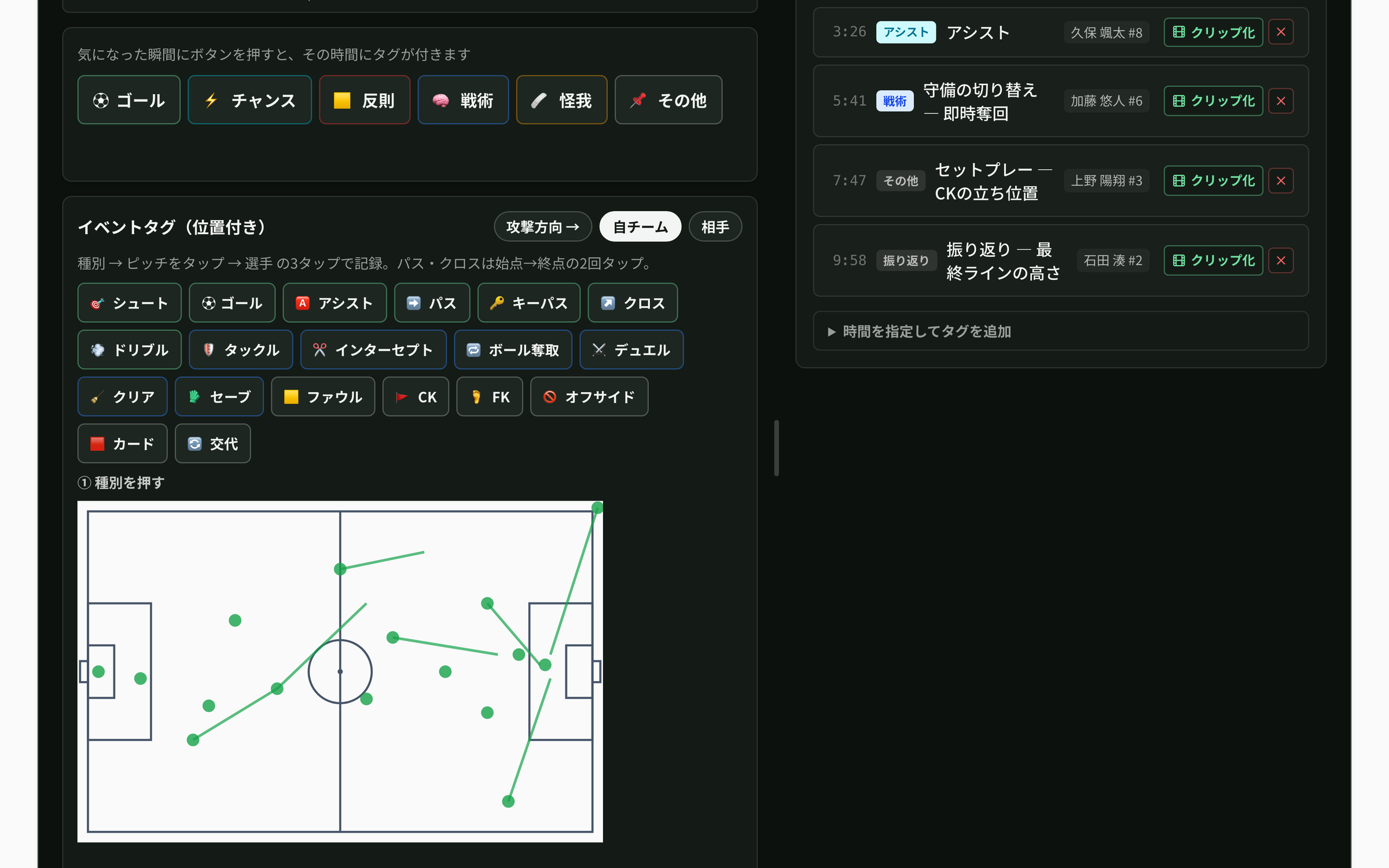
Record each play with its time and position, and the report builds itself. Every number can be checked against a clip, and you can ask an AI about the stats.
Press a type, tap the spot on the pitch, pick a player: three taps record a shot, pass, tackle or other play with its time and position. Passes and crosses take two taps (start → end), and the other team’s plays can be saved without picking a player.
Tagged events are aggregated automatically. Five tabs cover the summary, shot map, pass map, heatmap, momentum in 5-minute windows and player stats. Tap any number, dot on the pitch or momentum bar to play the scene behind it as a clip with 5 seconds either side. If the video is linked to a match, the score appears in the heading.
Type a question such as “Why did our momentum fade in the second half?” and press Ask: the AI answers only from your tagged stats. Only the aggregated numbers are sent. Players are shown by shirt number; names and IDs are never sent. Up to 20 questions per video. The answers are the AI’s guesswork — the coach makes the call.
Your existing scene tags, drawings, clips and playlists work as before. The summary appears once at least 10 events have been tagged. Tagging is available to the video’s owner and to anyone it was shared with for editing.

Shoot match or training footage with any smartphone. No tripod, gimbal, or dedicated camera needed. Sideline footage is all it takes.
Send the video to NEWDIH. It's automatically organised into your team library and available to share with every member at any time.
Tag, clip, and draw tactics to put plays into words. Position-tagged events roll straight into a match report. A debrief that feeds straight into the next training session — done the same day.
No special preparation. Your usual meeting simply gets faster and clearer.
We keep adding tools based on what coaches want to do.
Paste the URL of a match on YouTube and use it for tagging and clips.
Play two videos next to each other in sync. Compare last match with today, or two camera angles.
Join the scenes you choose and play them in order. Pause on each one during the meeting.
One button opens the players’ screen in a separate window. Put it on a projector and it follows the coach’s controls.
Check even the quickest play with frame stepping, slow motion and reverse.
Collect scenes from the opponent’s matches into a scouting report, ready to print.
No company names — just three common ways of working, side by side.
| Video editing software | Typical paid analysis service | NEWDIH | |
|---|---|---|---|
| What you need to start | A computer and editing software | Often a dedicated camera or an annual contract | Your usual smartphone and a free account |
| Finding a scene | Rewind and search by hand | Search by tags | Search by tags, and it becomes the match report |
| Drawing to explain | Overlay shapes and export by hand | Yes | Draw right on the paused video |
| Sharing with the team | Export files and send them | Yes | Share by link or in the team library |
| Running the club | Needs other tools | Often needs other tools | Practices, matches and messages in the same app |
* This compares general tendencies. Please check each service’s official information for details.
The NEWDIH Camera Pod is in development. Mount it on a tripod, slot in your iPhone and film the match from up high. The footage goes straight into NEWDIH Video Analysis.
No pod needed — start today with one smartphone.
* CAD data from development. Shape and color will change. We will replace these with photos once the prototype is ready. iPhone is a trademark of Apple Inc. This product is not endorsed or approved by Apple Inc.
Replace gut-feel feedback with footage and tags. Better meetings, clearer messages to players, and club operations all in one tool.
That sideline clip of your child becomes a record of their growth. Save great moments as clips and share them with family and the team.
Watching yourself objectively is the fastest route to improvement. Tagged scenes make your strengths and weak points instantly visible.
Dedicated feature pages, launching one by one.
Free to sign up. The smartphone footage you already have becomes an asset that makes your team stronger.
Upload one match and try everything from tagging to the match report.
How we protect children's information: Safety and privacy.