ATTENDANCE & BOOKING
Put the event down,
and the count and the venue follow.
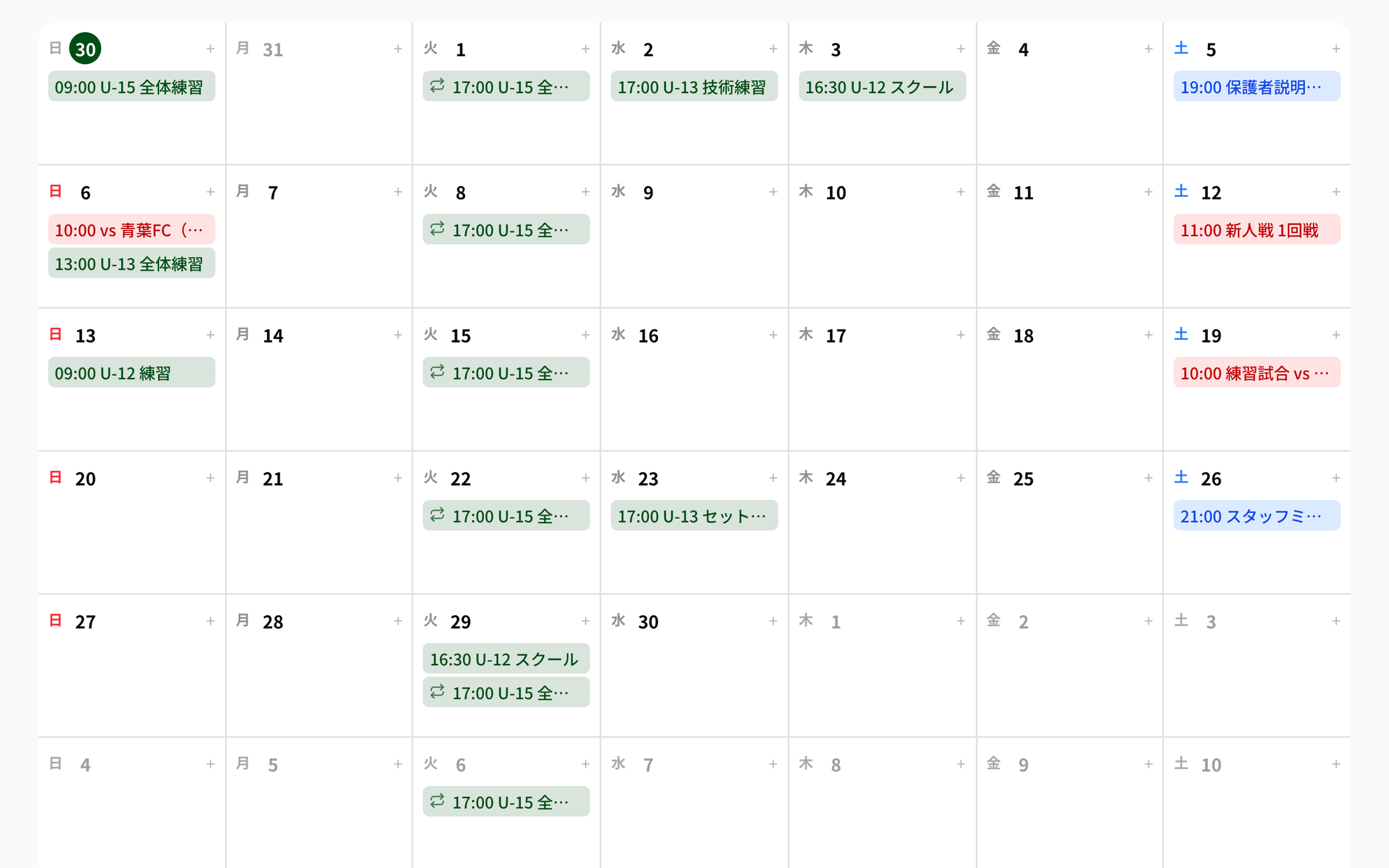
Put trainings, matches and meetings on one table, and the number of people coming that day sits next to the venue you booked. Players and guardians reply on the spot, and anyone who has not replied stays visible as “No reply”.
The Calendar, Attendance and Venue Booking are each added from the club features. Club features are free up to 10; from the 11th it is a flat ¥10,000/month.
Events in chat, replies in chat,
venues on the phone.
- No way to count who is coming until the day itself
- Nobody can check whether the same venue was booked twice
- “I can’t make it” arrives one message at a time, so the tally is done by hand
In NEWDIH, all three sit on one table.
01 PLACE
Every event goes down by type.
Four types: Training, Match, Meeting and Other. The venue, the coaches in charge and the notes all live in the same event. Training sessions appear on the calendar on their own, so you never write the same event twice.
- Four types: Training, Match, Meeting, Other
- Venue / coaches in charge / notes / team
- Two views: by month and by week
- Training sessions appear on the calendar on their own
REPEAT
- W1Weekly
- W2Every 2 weeks
- W4Every 4 weeks
Set either a number of repeats or an end date. If you set neither, it stops after 52 repeats (one year).
NO OVERLAP
A booking that hits the same venue at the same time is stopped as you create it.
02 HOLD
Venues never collide.
A venue booking starts as a hold and stays in the same list through confirmed and canceled. The same venue at the same time is blocked automatically, so you never take a slot twice.
- Three states: Hold → Confirmed → Canceled
- Overlapping time slots are blocked automatically
- Filter by venue, or to active bookings only
- A booking can be tied to the event it belongs to
03 COUNT
Nobody has to count heads.
Replies are tallied as Attending, Absent, Undecided and No reply. A coach can record the reply for a player who cannot answer, and the row keeps a Proxy mark. Reasons and reply times sit in the same table.
- Tallied as Attending / Absent / Undecided / No reply
- The reason (optional) and the reply time are kept
- A coach’s entry carries a Proxy mark
- No reply stays on the list, so you know who to ask
TALLY
The breakdown for 16 players. The four numbers always add up to the squad.
ARRIVAL
- #2 Minato Ishida✓ 08:41
- #3 Haruto Ueno✓ 08:42
- #4 Itsuki Endo✓ 08:43
- #1 Soma AoyamaAbsent
Check in on arrival and the time stays on the row, with a notice sent to the guardian and the coach.
04 ANSWER
Members reply on the spot.
Players and guardians see the events of the next 30 days and tap Attending, Absent or Undecided right there, with an optional reason. On the day, checking in keeps the arrival time and sends a notice to the guardian and the coach.
- The next 30 days of events, listed as they are
- Attending, Absent, Undecided + a reason (optional)
- Checking in keeps the arrival time
- The arrival is notified to the guardian and the coach
Three steps, starting today.
Put the event down
Pick the type, then the date, the time and the venue. A weekly training only needs to be entered once, as a repeat.
Hold the venue
Create the booking as a hold and confirm it once it is settled. Overlaps stop on their own.
Take the replies
The events appear on the member side. Replies stack up in the tally, and only No reply is left.
Frequently Asked Questions
Yes. Add the calendar from the club features and it takes one slot of the free allowance. Attendance and Venue Booking are added the same way, one each. Club features are free up to 10; from the 11th it is a flat ¥10,000/month, however many you add.
Players and guardians reply from their own screen. If they cannot, a coach records it for them, and the row keeps a Proxy mark so it stays distinguishable from a personal reply.
They stay in the tally as No reply. The number sits next to Attending, Absent and Undecided, so you can see who to talk to.
A booking that touches the same venue in the same time slot is blocked as you create it. You hold it first and confirm it once it is settled — two steps.
No. Enter it once with a repeat (weekly, every 2 weeks, every 4 weeks). You can set a number of repeats or an end date, and if you set neither it stops after 52 repeats (one year).
When a member checks in, the arrival time is listed per player. The guardian and the coach receive a notice of the arrival.
No. Training sessions appear on the calendar on their own. Events, trainings and matches line up in the same place, so nothing has to be copied twice.