FITNESS & AVAILABILITY
See each player's growth
and slumps, one by one.
Testing session results, daily condition, injury records. When what used to be scattered across a coach's notes is viewed as a team, you can see who is improving and who needs rest.
The test sheets are somewhere on a shelf. Asked “is he faster than before?”, you can't answer right away. Before a match, you go around asking each player if they can play. This cuts down that effort.
01 MEASURE
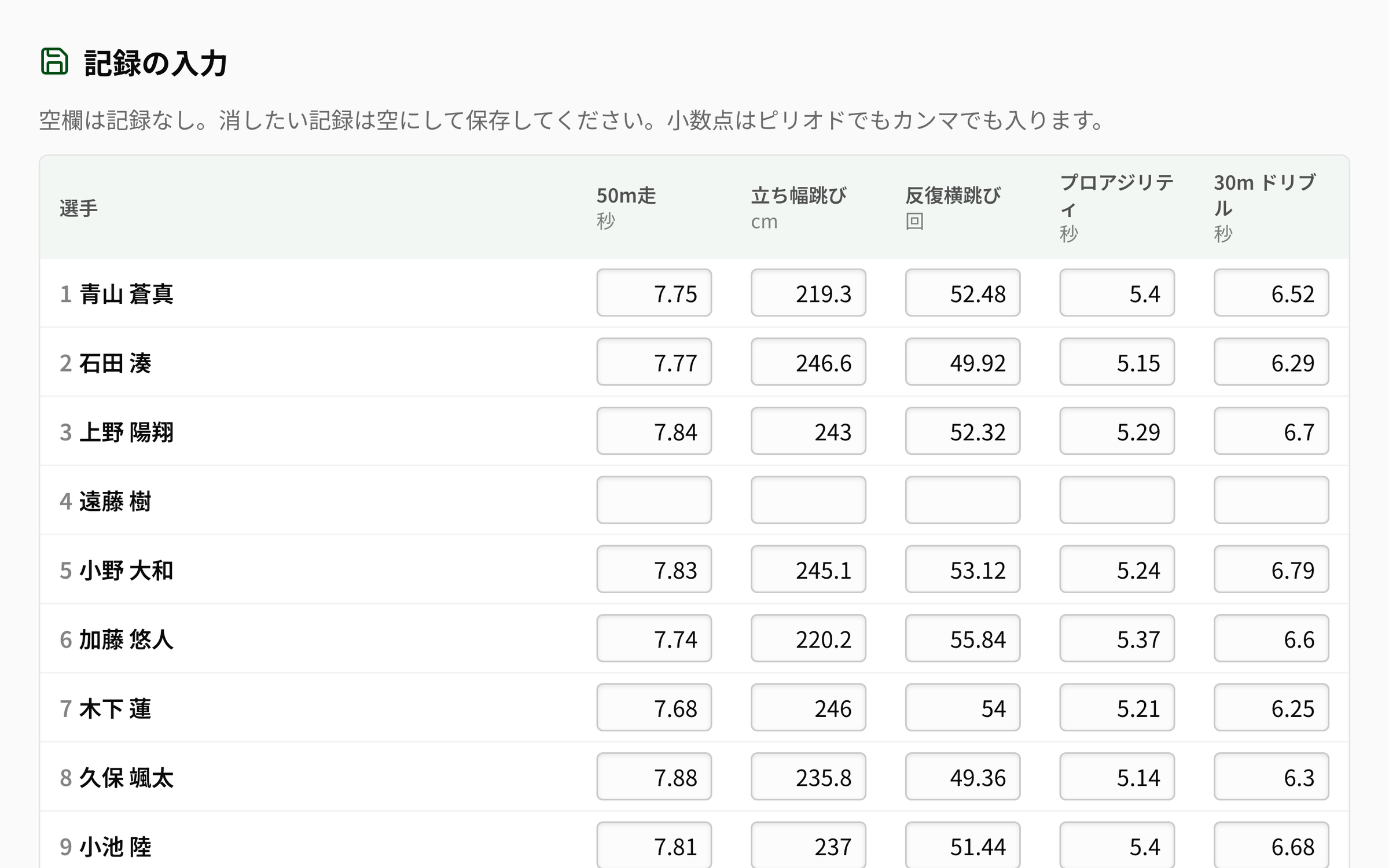
Every player's testing results, in one table.
Create a testing session, and the table of players and events becomes the entry form. Standard events are there from the start, and you can add the ones your club measures. Print the record sheet and take it to the pitch.
02 GROWTH
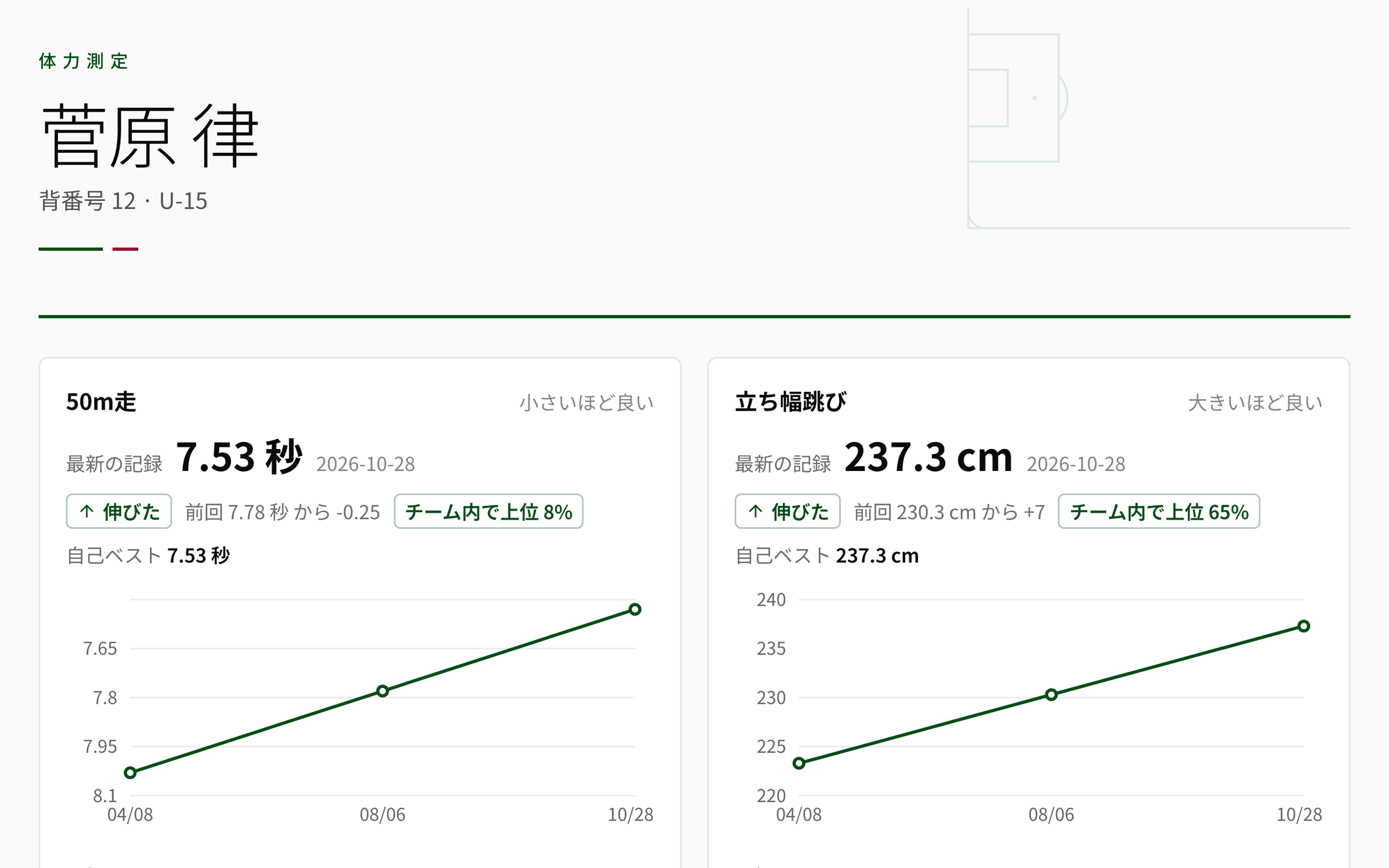
See your own growth before the ranking.
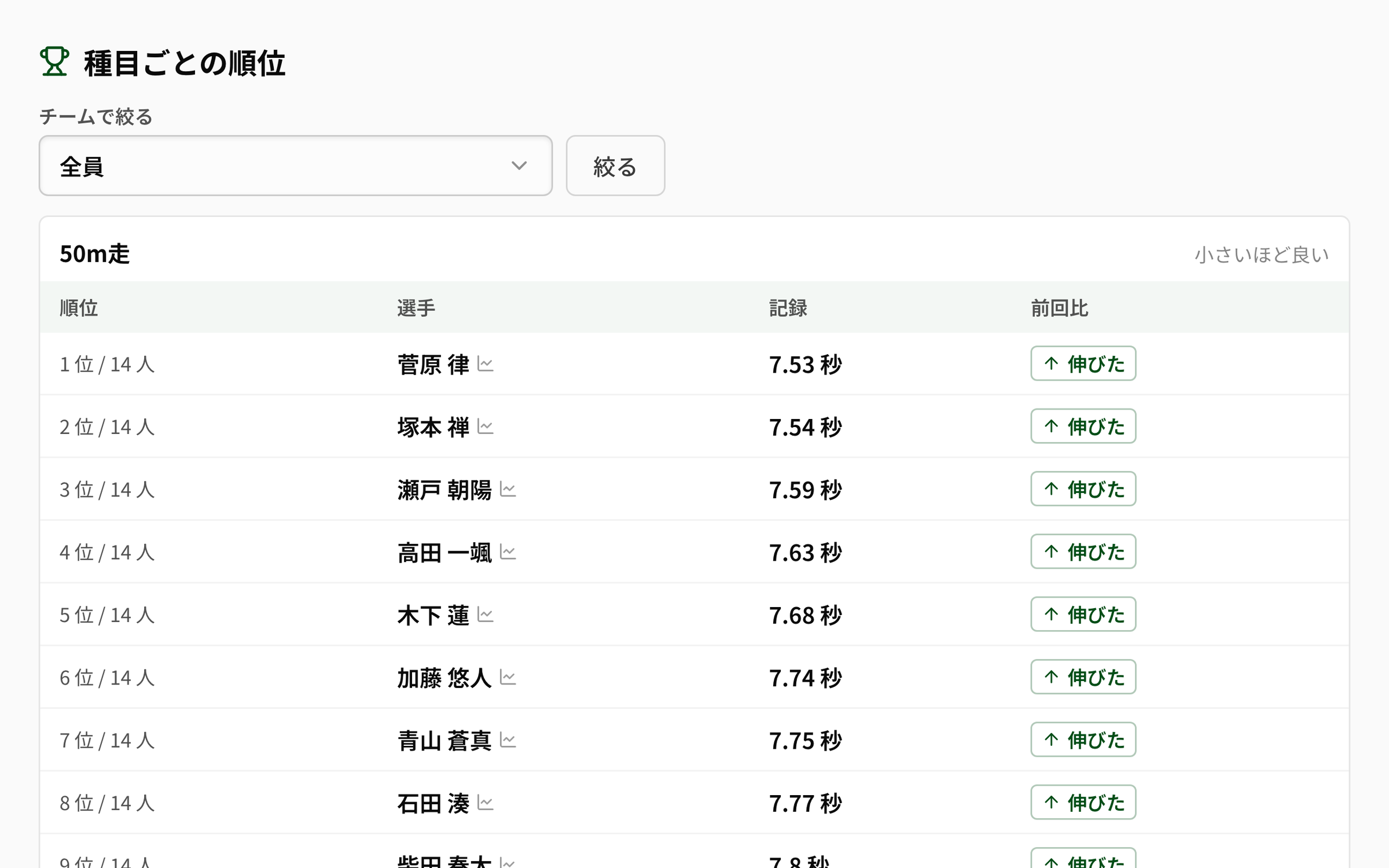
Besides the ranking within the team for each event, each player's progress and personal best are kept. You can see how much they've improved since last time, which makes player talks more concrete. Players and parents can check their own records in the app too.
03 AVAILABILITY
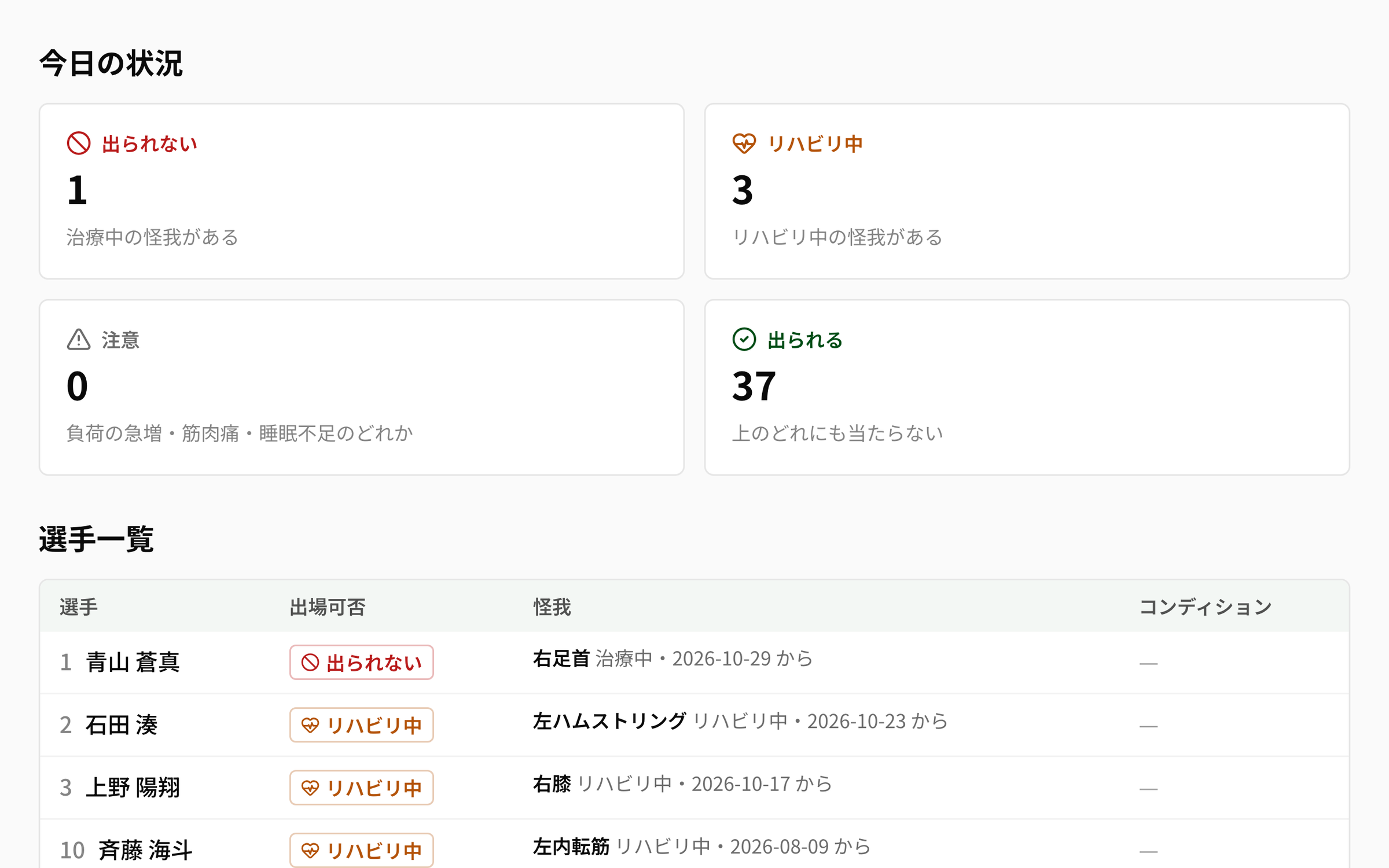
Who can play next match? One sheet.
When the team looks at the training load and sleep that players enter, a sudden spike in load or a bad patch shows up early. Cross-checked with injury records, the “Availability board” lists who is fit, caution, rehabbing or unavailable. The marks also appear when you pick the match squad and on the attendance screen.
Start today, in 3 steps.
Pick the test date and the team, and the entry table for everyone is ready.
Measure with the printed sheet, then type it into the table. From the next session, you'll see the growth.
Open the Availability board, and you'll see which players to talk to.
Frequently Asked Questions
Fitness testing, player condition and the Availability board are basic club features. No extra contract is needed. For the full picture, see the pricing page.
Yes. Set the event name, the unit, and whether a bigger or smaller value is better, and add it. If you shelve an event you no longer use, past records stay.
Players can check their own records, and parents can check the records of the children they're linked to, each in the app.
The owner can turn off viewing for each coach. For injuries, only the status, body part and date are shown; the diagnosis and notes are visible to the owner only.
It's a guide based on the records, not a medical judgment. If you're concerned about pain or health, listen to the player and, if needed, consult a medical professional.
Try recording one testing session.
Creating an account is free. Create a club, and you can start using it right away.